

Table of Contents
- Why Your Server Room Cooling Costs So Much
- Step 1: Set Optimal Thermostat Set Points
- Step 2: Implement Hot Aisle Cold Aisle Containment Benefits
- Step 3: Improve Airflow Management and Remove Barriers
- Step 4: Seal Thermal Insulation and Block Penetrations
- Step 5: Upgrade to Energy-Efficient Cooling Hardware
- Step 6: Follow Data Centre Cooling Best Practices with Preventative Maintenance
- Step 7: Use Smart Monitoring and Real-Time Sensor Integration
- Frequently Asked Questions
Last Updated: September 8, 2026
Why Your Server Room Cooling Costs So Much
Server room cooling is often the largest single line item in a facility's energy budget, frequently consuming more electricity than the IT loads it protects. The root cause is usually the same: we cool rooms instead of equipment. Our engineers often see facilities running thermostat set points of 18°C when the equipment would operate perfectly well at 24°C.
Most operators inherit a cooling strategy designed for worst-case scenarios and never revisit it, driving up operational expenditure with no corresponding gain in resilience.
The path to lower bills rarely requires a full infrastructure overhaul. A structured approach to airflow, set points, and monitoring typically delivers substantial savings. Below are seven practical steps, ordered from the quickest wins to the more involved engineering projects.
Step 1: Set Optimal Thermostat Set Points
The fastest energy saving you can implement is raising your thermostat set point to align with ASHRAE's thermal guidelines for data centers. These guidelines permit inlet temperatures up to 27°C for most enterprise-class servers, yet many rooms are still held at a chilly 20°C or lower (ashrae.org). Every degree you raise the set point reduces cooling energy consumption by roughly 3 to 5 percent (energy.gov).
Check the inlet temperature specifications for your specific server models, as older hardware may have tighter limits. Adjust the set point in small increments, raising it by one degree at a time and monitoring inlet temperatures over a week to confirm stability.
Step 2: Implement Hot Aisle Cold Aisle Containment Benefits
Hot aisle cold aisle containment benefits extend far beyond simple temperature management. By physically separating hot exhaust air from cold supply air, you prevent mixing, allowing the cooling unit to operate at higher supply temperatures and lower fan speeds.

Uncontained rooms force cooling units to work against themselves, drawing in a mixture of hot and cold air that reduces effective cooling capacity. Retrofitting aisle containment, such as the APC by Schneider Electric NetShelter Aisle Containment systems we supply, is one of the highest-ROI projects available for a crowded server room.
Step 3: Improve Airflow Management and Remove Barriers
Before investing in new hardware, walk your server room and look for airflow barriers. A common mistake is leaving the space under raised floors cluttered with stray cables, which obstructs the path of cold air to perforated tiles. Missing blanking panels in racks allow hot exhaust air to recirculate to the front of the equipment, creating hot spots that force the thermostat to work harder.
Install blanking panels in every unused rack unit, remove obstructions from underfloor plenums, and ensure perforated tiles are positioned directly in front of server intakes rather than in aisles or empty space. Proper airflow management is the foundation of data centre cooling best practices, and it costs very little compared to the energy waste it prevents.
Diagnosing Airflow Problems: The Pressure Differential Method
A more systematic approach goes beyond visual inspection. The core issue in any uncontained server room is an imbalance between the static pressure in the underfloor plenum (or ducted supply) and the resistance of the path to the server inlets.
To diagnose this, use a differential pressure manometer to measure the static pressure in the plenum and compare it to the pressure at the rack inlet. A typical target for a raised floor plenum is between 10 and 15 Pascals (Pa) of static pressure. If you measure below this, your CRAC unit fans may be undersized or the plenum is too leaky. If you measure high pressure but still see hot spots, the issue is likely localised recirculation, not a lack of supply air.
The Role of Perforated Tile Placement and Openings
Perforated tile placement is not arbitrary. The standard practice is to place them in the cold aisle directly in front of the rack intakes. A common error is using tiles with too high an open area (e.g., 50% or more) in a room with low plenum pressure, which reduces the velocity of the air leaving the tile.
Quantifying the Benefit of Blanking Panels
The magnitude of the effect of blanking panels is often underestimated. A single missing panel in a rack with a high delta-T can create a recirculation loop that raises inlet temperatures at the top of the rack by several degrees, forcing the CRAC unit to lower its supply temperature to compensate.
Beyond the Underfloor: Ceiling and Ducted Returns
In rooms without raised floors, the same principles apply to ducted supply and return. Ensure supply diffusers are aimed directly at the cold aisles and return grilles are located in the hot aisle or above the racks, avoiding a short circuit where cold air is immediately drawn back into the unit.
Step 4: Seal Thermal Insulation and Block Penetrations
Thermal insulation in a server room is about controlling the environment, not just comfort. Unsealed cable penetrations in walls and ceilings allow conditioned air to escape and unconditioned air to enter, forcing your cooling units to run longer to maintain the set point.

Beyond sealing penetrations, check the room's thermal envelope. If your server room shares a wall with an unconditioned warehouse or has windows allowing direct sunlight, the heat load increases substantially. Adding insulation to exterior walls or applying solar film to windows reduces the ambient temperature the cooling unit must overcome. reduce energy bills.
Step 5: Upgrade to Energy-Efficient Cooling Hardware
If your cooling units are more than a decade old, they are likely operating well below the efficiency of modern precision systems. Standard comfort air conditioners are designed for human occupancy, not the high, constant heat loads and humidity requirements of a server room.
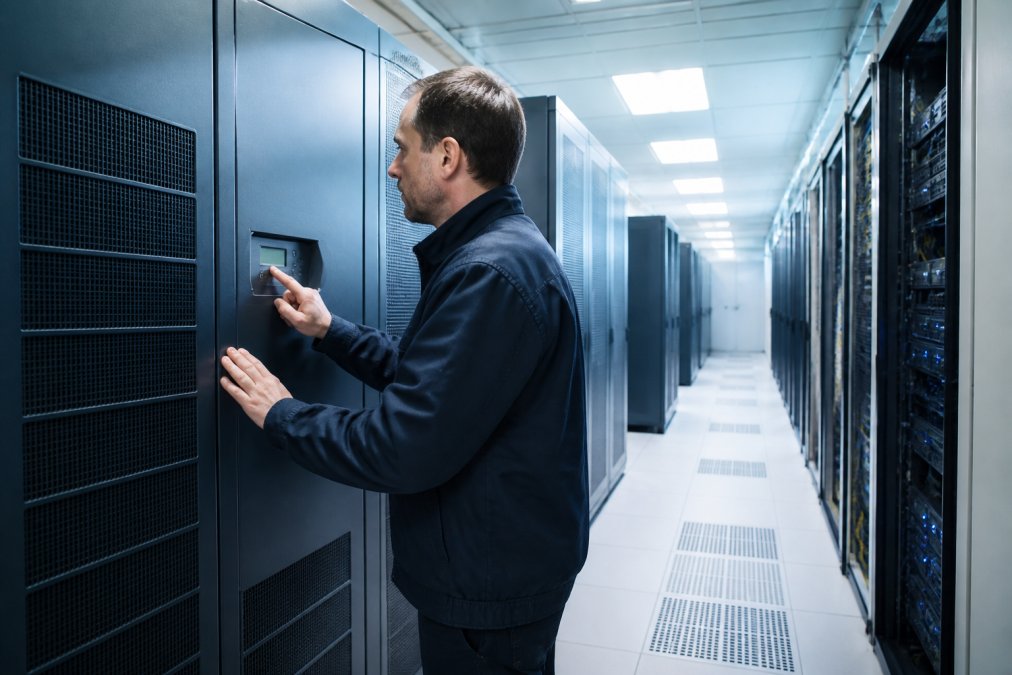
Precision units like the Stulz Minispace Data Center Cooling range are engineered for rooms with high thermal loads, offering energy-efficient operation and precise humidity management. For smaller spaces, the Vertiv Liebert SRC-G Specialised Cooling units provide a compact, self-contained solution with variable speed fans that adjust to the actual heat load.

Beyond the Unit: Comparing Cooling Architectures
Before you sign a purchase order, understand that the type of unit is only half the story. The overall efficiency of your cooling system is determined by how that unit rejects heat. There are three primary architectures to consider:
- Air-Cooled Direct Expansion (DX): This is the most common retrofit scenario. A self-contained unit rejects heat to the outside air via a refrigerant line and a condenser. Its efficiency is highly dependent on the outdoor ambient temperature. The key metric is the Energy Efficiency Ratio (EER), the cooling output in kW divided by the electrical input in kW. A modern DX unit might have an EER of 3.0, while an older one could be below 2.5.
- Chilled Water Systems: These use a central chiller to produce cold water that is piped to the cooling units (or CRACs/CRAHs) in the server room. This is more efficient for larger installations because the chiller can be a high-efficiency, water-cooled unit, and the piping is more efficient at transporting 'coolth' than refrigerant.
- Free Cooling / Economisers: This is not a separate unit type but a feature that can be integrated into either DX or chilled water systems. An economiser uses outside air directly (air-side) or via a heat exchanger (water-side) to provide cooling when the outdoor temperature is below a certain threshold. In many parts of Australia, this can be for a significant portion of the year. In many parts of Australia, this can be for a significant portion of the year.
A Framework for Calculating ROI on a Cooling Retrofit
The primary barrier to upgrading hardware is not technical, but financial. Here is a practical framework to calculate the payback period for a new precision cooling unit.
Step 1: Measure Your Current Consumption. Use a power meter (or your building management system) to measure the actual kilowatt-hours (kWh) consumed by your existing cooling unit over a full week. Multiply this by 52 to get an annual figure.
Step 2: Estimate the New Unit's Consumption. Look up the EER or Seasonal Energy Efficiency Ratio (SEER) for the proposed unit. A modern unit with a SEER of 3.5 will consume significantly less.
Step 3: Calculate the Annual Savings. Subtract the new consumption from the old and multiply by your commercial electricity rate.
Step 4: Determine the Payback Period. Take the total installed cost of the new unit (including removal of the old one, rigging, electrical work, and commissioning) and divide it by the annual savings.
The Hidden Cost of Humidity Control
When comparing units, pay close attention to the dehumidification function. A standard air conditioner cools and dehumidifies simultaneously, which is often wasteful in a server room where the sensible heat load is high but the moisture load is low. If your unit is dehumidifying, it uses extra energy to remove moisture that then needs to be replaced by a humidifier. Modern precision cooling units use a higher sensible heat ratio, doing less dehumidification and preventing this 'humidifier fight'.
Step 6: Follow Data Centre Cooling Best Practices with Preventative Maintenance
Data centre cooling best practices extend beyond the initial setup; they require a disciplined preventative maintenance schedule to sustain efficiency over time. Dirty condenser coils, clogged filters, and worn fan belts all force cooling units to work harder.
Preventative maintenance should include quarterly checks of refrigerant levels, coil cleaning, and filter replacement, alongside annual inspections of fans and electrical connections. This routine keeps energy consumption in check and extends the lifespan of the equipment. For teams without in-house expertise, engaging a specialist for scheduled maintenance is a cost-effective safeguard against efficiency drift.
Step 7: Use Smart Monitoring and Real-Time Sensor Integration
You cannot manage what you do not measure. Real-time sensor integration provides the visibility needed to identify inefficiencies as they emerge, rather than discovering them on a quarterly energy bill. Deploying temperature and humidity sensors at rack inlets and outlets gives a granular picture of your thermal environment.
Software platforms take this a step further by correlating sensor data with cooling unit performance. The EkkoSense Datacenter Optimization platform we offer uses 3D visualisation and advanced sensing to provide a live thermal map of the room, flagging hot spots and overcooled zones in real time. Teams using such tools can typically identify and correct airflow issues.
| Optimisation Step | Primary Benefit | Implementation Effort | Typical Payback |
|---|---|---|---|
| Raise thermostat set points | Reduces cooling load | Low | Immediate |
| Aisle containment | Prevents air mixing | Medium | 1-2 years |
| Airflow barriers removal | Eliminates hot spots | Low | Immediate |
| Seal penetrations | Stops air loss | Low | Immediate |
| Upgrade cooling hardware | Improves efficiency | High | 2-4 years |
| Preventative maintenance | Sustains performance | Low | Ongoing |
| Real-time monitoring | Provides visibility | Medium | Under 1 year |
The most effective strategy combines these steps. A facility that raises set points, seals its envelope, and implements containment will see compounding savings, while monitoring ensures those gains are maintained.
Reducing your server room's cooling bill is rarely about a single dramatic fix; it is about systematically eliminating waste across airflow, set points, and hardware efficiency. Treske Pty Limited brings an agnostic approach to critical infrastructure, designing, supplying, and installing tailored cooling solutions that balance resilience with operational cost. From precision cooling units to aisle containment and ongoing optimisation, our team supports facilities across Australia and New Zealand. Visit us today to discuss how we can cut your cooling energy consumption.
Frequently Asked Questions
What is the ideal temperature range for a server room to balance efficiency and hardware safety?
The ideal temperature range for a server room is between 18°C and 27°C, as recommended by ASHRAE guidelines. Raising your thermostat set point from 18°C to 24°C can reduce cooling energy consumption by 4-5% for each degree, directly cutting your energy bills. However, ensure you maintain proper humidity levels between 40% and 60% RH to prevent static discharge and condensation issues.
How does hot aisle/cold aisle containment improve cooling efficiency?
Hot aisle/cold aisle containment improves cooling efficiency by physically separating the hot exhaust air from IT equipment and the cold supply air from the cooling unit. This prevents the air streams from mixing, which reduces cooling costs by allowing the CRAC unit to operate at a higher return air temperature. This improves the efficiency of the cooling system and allows for more predictable thermal management.
How do I determine if my server room is over-cooled?
Check the temperature at the server rack intake, not just the return air sensor on the cooling unit. If the intake air temperature is below 18°C, your server room is likely over-cooled. Also look for signs like short-cycling of the cooling unit, high humidity, or cold spots. Use a thermal camera or temperature sensors to map the actual conditions at the equipment level.
What role does regular preventative maintenance play in reducing cooling energy consumption?
Preventative maintenance for cooling systems is crucial for maintaining efficiency. Dirty filters, blocked coils, and worn belts force the system to work harder, increasing energy consumption by up to 15%. Regularly cleaning coils and filters, checking refrigerant levels, and calibrating sensors ensures your cooling infrastructure operates at peak performance, preventing energy waste and extending the lifespan of the equipment.