

Table of Contents
- What Is KVM over IP and Why It Matters for Data Centers
- Key Benefits of Using KVM over IP for Data Centers
- KVM over IP Security Best Practices for Critical Infrastructure
- SOCI Act Compliance for Data Centres: How KVM over IP Helps
- Remote Server Management Tools: Integrating KVM over IP with Your Workflow
- Cloud, Hybrid, and Edge Integration: Extending KVM over IP Beyond the Server Room
- Conclusion: Building a Resilient, Compliant Data Centre with KVM over IP
- Frequently Asked Questions
Last Updated: October 2, 2026
What Is KVM over IP and Why It Matters for Data Centers
KVM over IP is a hardware-based technology that extends keyboard, video and mouse signals across an IP network, letting administrators control servers from anywhere rather than standing at the rack.
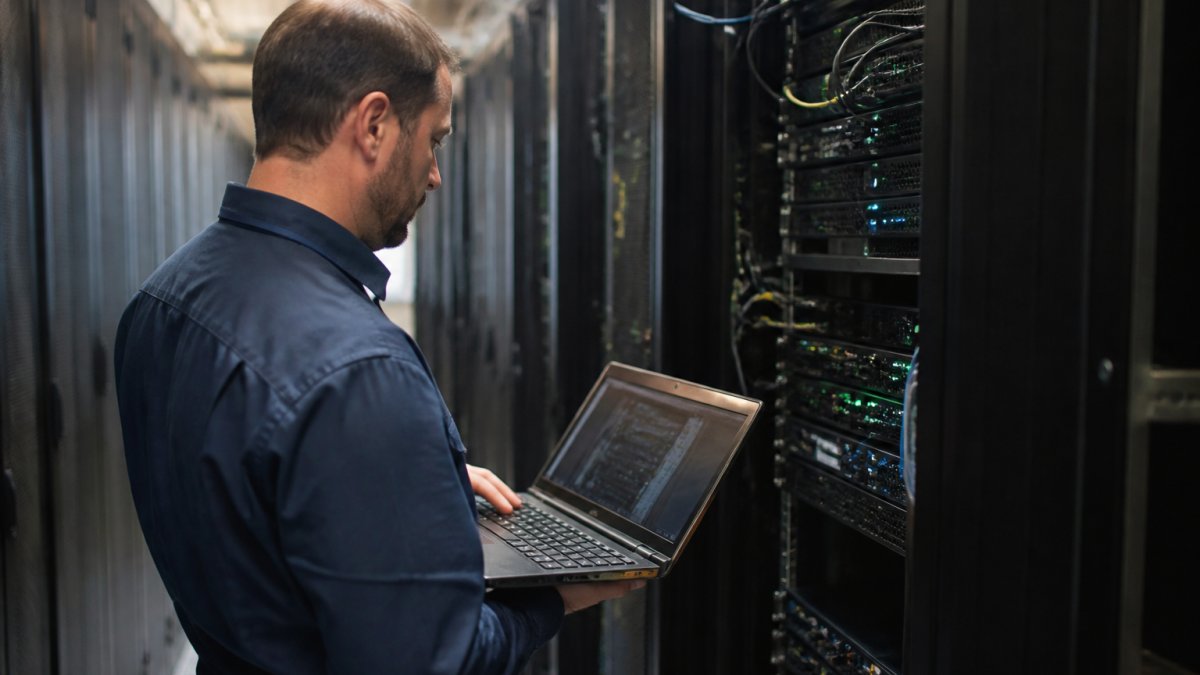
The core idea is simple. A transmitter connects to each server; a receiver sits at the administrator's desk or connects over a VPN. The IP network in between carries the signal.
How KVM over IP Differs from Traditional KVM Switches
Traditional KVM switches are bound by cable length. A rack-mounted switch connects servers within a single cabinet or row, and the console must sit within cabling distance of the hardware.
The practical consequences are worth spelling out:
- Reach: administrators can work from a control room, another building, or another state
- Scale: adding a server means adding a transmitter, not re-cabling a switch matrix
- Redundancy: dual LAN and dual power options keep access alive when one path fails
- Granularity: permissions can be set per port, per user, per site
A traditional switch still has a place in small, single-room environments. It stops making sense the moment you have more than one site, more than one shift, or a compliance obligation to log who accessed what.
Key Benefits of Using KVM over IP for Data Centers
The benefits of using KVM over IP for data centers cluster around three outcomes: faster response to incidents, less physical infrastructure, and room to grow without rebuilding. Each one has a cost attached, and it is worth being honest about where the trade-offs sit.
Real-Time Access and Remote Troubleshooting
Out-of-band management is the headline benefit. When a server's operating system hangs, its network stack is misconfigured, or a BIOS setting needs changing, KVM over IP still provides a console. Administrators see the boot sequence, mount virtual media to reinstall an OS, and reach serial devices through RS-232 ports, all without dispatching anyone to site.
What most guides miss is the latency question. Remote troubleshooting is only useful if the video stream is responsive enough to work in.
Hardware Consolidation and Space Savings
Every console that moves out of the server room is a monitor, keyboard, mouse and KVM cable that no longer occupies rack space or draws power. Across a multi-rack environment, that adds up to reclaimed units, less cabling to document, and fewer points of failure to maintain.
The second-order benefit is cooling. Fewer devices in the white space means less heat load for the room's cooling systems to remove, which is where the energy efficiency conversation usually starts.
Scalability for Multi-Site Operations
Scaling a KVM over IP deployment means adding transmitters, not replacing a chassis. A single-port 4K DisplayPort unit such as the Aten CN9950 supports 4096 x 2160 at 30 Hz, includes a DisplayPort USB KVM cable, and offers dual LAN and dual power for redundancy. For fibre-connected sites, transmitters with SFP connections extend reach further while keeping video quality intact.


Matrix systems go a step beyond point-to-point extension. One-to-many, many-to-one and many-to-many configurations let a single operator monitor multiple systems or hand control between workstations, which suits control rooms and broadcast environments as much as server halls.
KVM over IP Security Best Practices for Critical Infrastructure
Security is where KVM over IP deployments are won or lost. The technology grants console-level access, which is more powerful than most remote access tools, so the controls need to match the privilege.
KVM over IP security best practices start with encryption and authentication.
Then layer the operational controls:
- Place KVM management interfaces on a dedicated management VLAN, never the production network
- Enforce multi-user access rules with per-user permissions and session logging
- Disable unused services and change default credentials before first boot
- Require VPN or jump-host access for any external connection
- Review access logs on a fixed schedule, not only after an incident
The Australian Cyber Security Centre's Essential Eight guidance is a sensible baseline for most data centre operators, particularly around restricting administrative privileges and patching applications.
SOCI Act Compliance for Data Centres: How KVM over IP Helps
SOCI Act compliance for data centres is not optional for most operators reading this.
KVM over IP supports those obligations in a few concrete ways. Session logging creates an audit trail of who accessed which server and when.
It is worth being clear about the limits. KVM over IP is one control among many, and it does not by itself make an asset compliant.
Aten CN9950 1-Local/Remote Share Access Single Port 4K DisplayPort KVM over IP →
Remote Server Management Tools: Integrating KVM over IP with Your Workflow
Remote server management tools work best when KVM over IP sits underneath them rather than beside them. Software tools handle routine administration, monitoring and automation. KVM over IP handles the situations those tools cannot reach: a failed boot, a frozen hypervisor, a firmware update gone wrong.
The integration pattern that works in practice:
- Monitoring layer flags an anomaly and raises an alert
- Software access attempts a standard remote session
- KVM over IP provides the fallback console when software access fails
- Ticketing or ITSM records the session against the incident
That sequence matters because it keeps the escalation path predictable. Administrators know that a failed software session is not the end of the road, which reduces the pressure to dispatch someone on site as a first response.
For teams managing hardware across multiple locations, pairing KVM over IP with established maintenance routines pays off. Treske's preventative maintenance service covers the physical layer, while remote console access covers the logical one. Neither replaces the other.
| Problem | KVM over IP Fix | Operational Impact |
|---|---|---|
| Server OS unresponsive | Out-of-band console access | No site dispatch needed |
| Multi-site hardware sprawl | Centralised control station | One team manages all sites |
| Audit trail gaps | Session logging per user | Evidence for compliance review |
| Rack space consumed by consoles | Hardware consolidation | Reclaimed units and less cabling |
| Slow incident response | Real-time remote troubleshooting | Faster mean time to recovery |
Cloud, Hybrid, and Edge Integration: Extending KVM over IP Beyond the Server Room
Hybrid infrastructure has not reduced the need for physical access control. It has moved the physical layer to more locations, including edge sites with no permanent staff and limited space for consoles.
Start with the edge.
Cloud integration follows a different logic, and this is where the content gap sits.
The integration pattern that works in practice:
- Monitoring layer flags an anomaly and raises an alert
- Software access attempts a standard remote session through the production path
- KVM over IP provides the fallback console when the production path itself is the fault
- Ticketing or ITSM records the session against the incident
That sequence matters because it keeps the escalation path predictable.
There is a second-order benefit that rarely gets quantified: avoided travel.
For teams managing hardware across multiple locations, pairing KVM over IP with established maintenance routines pays off. Treske's preventative maintenance service covers the physical layer, while remote console access covers the logical one. Neither replaces the other.
Conclusion: Building a Resilient, Compliant Data Centre with KVM over IP
The hard part is not choosing a KVM over IP device. It is designing the management layer so that access survives the failures it exists to fix, and so that every session is logged well enough to satisfy an audit.
Treske Pty Limited designs, supplies and installs critical infrastructure with an agnostic approach to technology, which means the recommendation follows your environment rather than a vendor's catalogue.
Visit us today to discuss your data centre requirements.
Frequently Asked Questions
How does KVM over IP improve data centre security?
KVM over IP enhances security by centralizing access control and eliminating the need for physical presence in the server room. It supports encryption protocols like AES-128, and integrates with authentication systems such as RADIUS, LDAP, and Active Directory. This reduces the risk of unauthorized access and provides audit trails for compliance. For Australian data centres, it also helps meet SOCI Act requirements by ensuring only authorised personnel can access critical systems, with all actions logged and monitored.
What are the primary differences between traditional KVM and KVM over IP?
Traditional KVM switches require physical cabling and direct connections, limiting access to a local console. KVM over IP uses your existing IP network to transmit keyboard, video, and mouse signals, enabling remote access from anywhere. This eliminates distance limitations, reduces cabling complexity, and supports multiple simultaneous users. It also allows for centralized management of distributed servers, which is essential for multi-site data centre operations.
How does KVM over IP support compliance with the SOCI Act?
The Security of Critical Infrastructure (SOCI) Act mandates that owners and operators of critical infrastructure implement robust access controls and risk management. KVM over IP supports this by providing auditable remote access, multi-factor authentication, and encrypted connections. It ensures that only authorised personnel can access critical servers, and all sessions can be logged. This helps demonstrate due diligence in protecting against cyber threats and maintaining operational resilience.
Can KVM over IP solutions help reduce data centre downtime?
Yes, KVM over IP enables rapid remote troubleshooting and reduces the need for on-site intervention. When a server issue occurs, IT staff can access the console immediately from any location, diagnose the problem, and apply fixes without travel time. This minimises downtime and improves mean time to recovery. Additionally, features like virtual media support allow remote operating system installations and firmware updates, further reducing disruption.