

Quick Summary
Network monitoring cameras improve critical facility security by giving teams continuous remote visibility, with live feeds and recorded footage. They work best layered with perimeter protection and intrusion alarms, with cameras confirming each alarm event.
- A 40-year systematic review linked CCTV to a significant but modest decrease in crime.
- Pair each intrusion zone with a camera that can confirm the event.
- Change default credentials and place cameras on a dedicated VLAN before go-live.
- Verify segmentation with a scan from the office network to the camera VLAN.
- Map the power path end to end so recorders and switches stay powered.
Table of Contents
- Why Network Monitoring Cameras Matter for Critical Facilities
- Layering Perimeter Protection and Intrusion Detection
- Critical Infrastructure Security Cameras: Features to Specify
- Remote Video Surveillance for Critical Infrastructure
- Video Surveillance Network Security: Protecting the Camera Network
- Physical Security Monitoring Network Challenges and Planning
- Integrating Cameras With Access Control and Power Continuity
- Planning Your Next Step Toward a Monitored Facility
- Frequently Asked Questions
Why Network Monitoring Cameras Matter for Critical Facilities
Last Updated: November 14, 2026
Critical facilities such as data centres, hospitals and utility sites cannot afford unnoticed intrusions or unexplained outages. Network monitoring cameras give security teams continuous, remote visibility into the spaces that matter most, and they keep that visibility running around the clock.
A closed-circuit television (CCTV) system records video for later review, while an IP-based network camera sends its feed over your existing network for live monitoring and recording. Because the feed travels on the network, you can view it from a control room, a manager's phone or a remote operations centre.
A 40-year systematic review of CCTV crime-prevention research found that CCTV was associated with a significant but modest decrease in crime 40-year systematic review of CCTV crime prevention by E.L. Piza and co-authors. That is an important caveat: cameras help, but they work best as one layer among several.
- Live feeds let staff respond while an event is still happening.
- Recorded footage supports investigations and audits.
- Network cameras can be added to a site in stages as needs grow.
Layering Perimeter Protection and Intrusion Detection
Cameras are most useful when they support other layers of protection. A perimeter fence, a gate and an intrusion alarm each slow or detect an intruder, and a camera confirms what the alarm reports.
Layered security means no single device carries the whole load. Place cameras to cover fence lines, gate approaches and entry points, then link their analytics to alarm events.
Watch out: an alarm with no camera view often triggers a slow, uncertain response. Pair each intrusion zone with a camera that can confirm the event.
Critical Infrastructure Security Cameras: Features to Specify
When you write a camera specification, focus on the features that affect real-world performance. Resolution, low-light capability, weatherproofing and smart detection all matter for outdoor critical sites.
For example, the TP-Link VIGI 4MP C340 (4mm) Outdoor Full-Colour Bullet Network Camera offers 4MP high definition, 24-hour full-colour imaging, IP66 weatherproofing and smart detection for human, motion, area intrusion and line-crossing events. It also supports H.265+ compression to ease network load and storage use. You can find it in our camera range for $98.80 AUD.
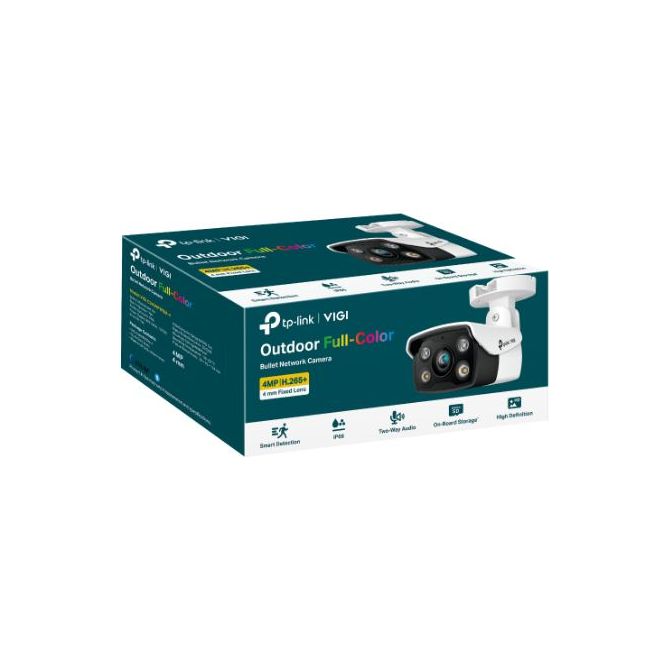
Other providers offer comparable cameras, so check each specification against your site's lighting, distances and environmental conditions.
Remote Video Surveillance for Critical Infrastructure
Remote monitoring lets a small team watch several sites from one place. This matters for organisations running facilities across multiple locations, where on-site guards cannot be everywhere at once.
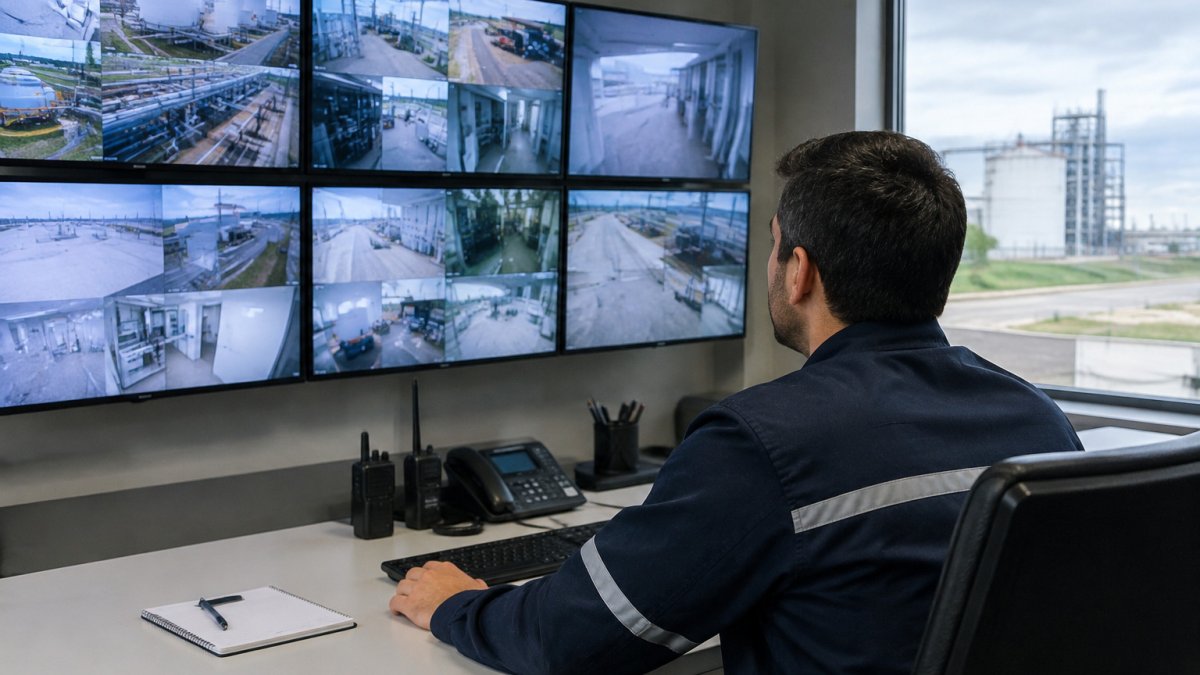
!Facility operations technician in a modern monitoring room watching multiple camera feeds on wall-mounted screens
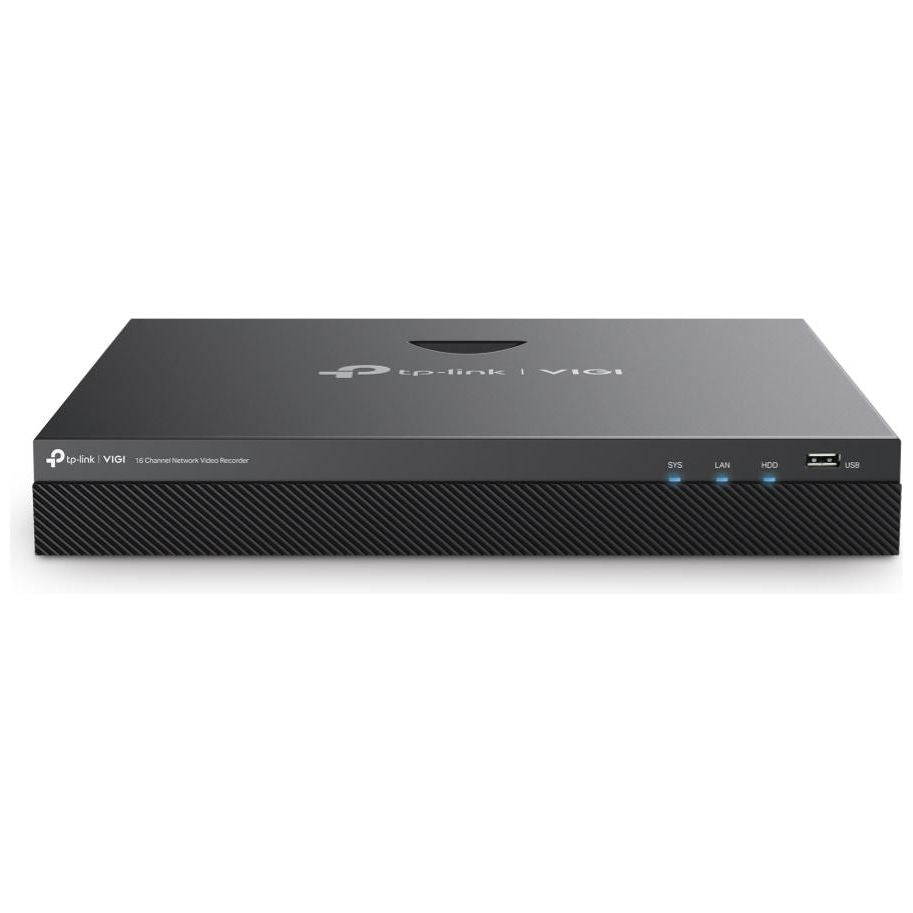
Remote access needs a recorder that can handle many channels and deliver footage quickly. The TP-Link VIGI NVR2016H is a 16-channel recorder with ONVIF support, two-way audio and remote monitoring through the VIGI app and client, priced at $482.30 AUD. For a planning overview of remote monitoring, see our remote monitoring guidance.
The article names two recorders for remote monitoring, and the table below lists their key figures as stated.
| Product | Channels or ports | Price (AUD) |
|---|---|---|
| TP-Link VIGI NVR2016H | 16-channel recorder | $482.30 |
| TP-Link VIGI NVR1008H-8MP | 8 PoE+ ports, 113 W budget | $331.50 |
Video Surveillance Network Security: Protecting the Camera Network
A camera network is also a computer network, so it can be attacked like any other. The Australian Cyber Security Centre (ACSC) publishes the Essential Eight mitigation strategies and the Guidelines for System Hardening, which together give a practical baseline for any IP-connected device on your network ACSC Essential Eight. Treat every camera, recorder and switch as an untrusted endpoint until it has been hardened and tested.
Start with a device and firmware inventory. You cannot monitor what you have not listed. Record, for every device: make, model, serial number, firmware version, IP address, MAC address, physical location, switch port, and the person accountable for it. Refresh the inventory on a fixed cycle, monthly is common for critical sites, and reconcile it against a network scan so that rogue or forgotten devices surface quickly. A camera that appears on the network but not in the inventory is a finding, not a curiosity.
Hardening follows the inventory. Change default credentials before the device is connected, disable unused services and ports, turn off universal plug and play, enforce signed firmware updates, and place cameras on a dedicated VLAN with firewall rules that permit only the traffic the video management system needs. Where the platform supports it, use 802.1X port authentication so an unknown device cannot simply be plugged into a camera switch port.
Access governance matters as much as device hardening. Apply least privilege: operators who view live footage do not need export rights, and installers do not need standing access after commissioning. Keep audit logs of who viewed, exported or deleted footage, and set a retention period for those logs that matches your organisation's records policy. Under the Privacy Act 1988 and the Australian Privacy Principles, footage of identifiable individuals is personal information, so limit collection to what is necessary, secure it, and document how long it is kept OAIC Australian Privacy Principles.
Test before go-live and after every significant change. A penetration test scoped to the camera VLAN, the recorder and the management interface will expose weak credentials, exposed services and poor segmentation. Repeat it annually and after firmware upgrades. Watch out: segmentation that exists only on the design document is not segmentation, verify it with a scan from the office network to the camera VLAN and confirm the expected blocks.
Finally, monitor the security posture continuously. Alert on new devices appearing on the camera VLAN, on firmware versions falling behind the approved baseline, on repeated failed logins to the recorder, and on configuration changes outside a change window. These alerts belong in the same queue as your availability monitoring so that a security event and a video-loss event are triaged together rather than in separate silos. Treating coverage gaps as part of the same security posture review helps distinguish a camera outage from a blind spot that needs a different placement, while Austin’s Electronics can inform that broader assessment.
Physical Security Monitoring Network Challenges and Planning
Adding cameras to a network adds load. Video streams consume bandwidth, and recordings consume storage. Plan both before you install, and plan them against measurable targets rather than rules of thumb.
Bandwidth is driven by resolution, frame rate, compression and camera count. A 4MP camera at 15 frames per second with H.265+ compression typically uses far less bandwidth than the same camera at 25 frames per second with H.264, but the exact figure depends on scene complexity and motion. Most practitioners size the network for the sum of all camera bitrates plus 30-50% headroom for bursts, management traffic and future cameras. Where cameras are spread across buildings, check that uplinks between switches can carry the aggregate stream, not just the average.
Storage follows the same logic. Retention days multiplied by total daily bitrate gives the raw requirement; add overhead for the recorder's file system and for any re-encoding. The TP-Link VIGI NVR1008H-8MP supports eight PoE+ ports with a 113 W PoE budget and a single SATA interface, which helps with retention planning. It sells for $331.50 AUD. Work out how many days of footage you need, then size storage and bandwidth to match, and check the PoE budget against the actual draw of the cameras you specify, because full-colour and pan-tilt models draw more than fixed bullets.
Define KPIs before go-live so that "the system is working" becomes a number. Useful indicators include camera uptime, video-loss events per camera per month, end-to-end latency from camera to viewing client, packet loss on camera VLANs, recording storage headroom, alert acknowledgment time, and mean time to repair. Set targets with the facility owner, for example, 99.5% camera uptime and acknowledgment of critical alerts within five minutes, and report against them monthly.
Resilience and failure-mode planning deserve their own design pass. Redundant network links between camera switches and the core, UPS protection for recorders and switches, local recording on cameras or edge recorders so that footage survives a core outage, and failover paths for remote viewing all keep visibility alive when something breaks. Watch out: a UPS that powers the recorder but not the switch feeding the cameras gives you a recording of nothing, map the power path end to end.
Operational response is the other half of monitoring. Every alert class needs a playbook: who triages it, what they check first, when they escalate, how evidence is preserved, and how service is restored. A camera-down alert, for example, might route first to the network team to check switch port status, then to security to confirm whether the outage is accidental or deliberate. Preserve footage and logs before rebooting anything, and record the timeline in the incident ticket. Review playbooks after every significant event and at least annually.
Industry sources also flag network and cybersecurity risks affecting IP cameras, access control and IoT systems Paessler Physical Security Monitoring: Network Challenges and Strategies. Treat these risks as part of the design, not an afterthought, and revisit the bandwidth, storage and KPI assumptions whenever you add cameras or change retention.
Integrating Cameras With Access Control and Power Continuity
Cameras become more valuable when they link to access control. A badge swipe that triggers a camera view tells staff who entered and when. Integration also means the alarm, access and video systems share one timeline during an incident.
Power continuity matters just as much. A camera that goes dark during an outage is useless when you need it most. Pair your recorders and network switches with uninterruptible power supply (UPS) protection, and review that protection as part of your UPS installation planning.
- Confirm your access control and camera platforms can exchange events.
- Test failover so recording continues during a power interruption.
- Log access to footage so only authorised staff can view it.
Planning Your Next Step Toward a Monitored Facility
Start with a site survey that maps entry points, blind spots and critical areas. Then choose cameras and recorders that match those needs, and plan the network, storage and power behind them.
At Treske Pty Limited, we design, supply and install power, cooling and rack systems that support monitoring infrastructure across Australia and New Zealand. If you are planning a monitored facility, our site acceptance testing and maintenance services can help verify that everything works before it goes live.
Frequently Asked Questions
How do network monitoring cameras improve security at critical facilities?
Network monitoring cameras let security staff watch sites in real time from a central location, review recorded footage quickly and receive alerts when smart detection flags a person, a line crossing or tampering. Because the feeds travel over the network, coverage can span several buildings or sites without staff at every entrance. Research suggests CCTV is associated with a modest reduction in crime, so cameras work best as one layer alongside access control, alarms and trained response rather than as a standalone fix.
Where should security cameras be placed at a critical facility?
Place cameras to cover perimeter fence lines, vehicle and pedestrian entry points, loading areas, and corridors leading to sensitive rooms such as power and cooling plant. Overlapping fields of view reduce blind spots, and outdoor units need weatherproof ratings suited to the site. Models such as the TP-Link VIGI C340 4MP outdoor bullet camera, priced at $98.80, offer IP66 protection and smart detection for boundary monitoring. A site survey before installation confirms mounting heights, lighting and cable routes.
How do you protect network cameras from cyber threats?
Start by keeping an accurate inventory of every device and its firmware, then apply updates promptly. Remove default passwords and any backdoor accounts, and test the network through penetration testing before commissioning. Separate camera traffic onto its own network segment and restrict remote access to authorised users. Government guidance on communications infrastructure stresses device and firmware inventories as the basis for visibility and monitoring, which applies equally to camera networks.
