


Table of Contents
- Can You Upgrade UPS Capacity Safely: Key Considerations
- UPS Battery Compatibility and Voltage Requirements
- UPS Runtime Calculation With Higher-Capacity Batteries
- Charging Circuit Limits and Recharge Time
- Heat Buildup and Thermal Safety Risks
- External Battery Pack for UPS: A Safer Alternative
- UPS Overload Protection and Damage Prevention
- When to Replace Rather Than Upgrade Your UPS
- Frequently Asked Questions
Last Updated: October 10, 2026
Can You Upgrade UPS Capacity Safely: Key Considerations
Upgrading your UPS capacity sounds straightforward on the surface. You want more backup time, so you buy a higher-capacity battery and swap it in. But the reality is far more complex.
The question of whether you can upgrade UPS capacity safely has a clear answer: it depends entirely on your specific UPS model, battery configuration, and charging circuit design. At Treske Pty Limited, we work with critical infrastructure teams across Australia and New Zealand who face this exact dilemma. Most discover too late that their UPS has hard limits, limits the manufacturer built in for good reasons.
This guide walks you through the technical realities. We'll show you what actually matters when considering a UPS capacity upgrade, where the real risks hide, and when upgrading makes sense versus when replacement is your only safe option.
UPS Battery Compatibility and Voltage Requirements
Before touching anything, you need to understand what your UPS will actually accept. Battery compatibility goes far beyond just physical size.
Matching Voltage and Configuration
Your UPS battery bank runs at a specific voltage. Common configurations include 12V, 24V, 36V, and 48V systems. If you install a battery with the wrong voltage, your UPS won't charge it properly, or at all. Worse, you might damage the charging circuit or the inverter.

The battery configuration matters equally. Some UPS systems use a single battery string. Others use multiple strings connected in parallel. Installing a higher-capacity battery into a system designed for parallel strings can throw off the load-sharing balance between strings. One battery ends up carrying more current than it's rated for, which accelerates degradation and shortens its lifespan dramatically.
Check your UPS manual for the exact voltage specification and string configuration. If your documentation doesn't clearly state this, contact the manufacturer or a qualified technician before proceeding. This step alone prevents most upgrade failures.
Amp-Hour Ratings and Series Connections
Amp-hour (Ah) ratings tell you how much current a battery can supply over time. A 100Ah battery supplies 100 amps for one hour, or 10 amps for ten hours.
The critical mistake people make: assuming a higher Ah rating automatically means longer runtime. It does, but only if your UPS charging circuit can actually charge that larger battery within acceptable timeframes. A 200Ah battery takes twice as long to charge as a 100Ah battery when using the same charger.
Series connections, where batteries link positive-to-negative to increase voltage, add another layer of complexity. If your system uses series batteries and you upgrade just one unit in the string, the voltage mismatch between old and new batteries causes current to flow between them during charging. This generates heat, damages both batteries, and can trigger the UPS's protection circuits.
UPS Runtime Calculation With Higher-Capacity Batteries
Runtime depends on two factors: how much power your load draws (measured in watts) and how much energy your battery stores (measured in watt-hours).
How Watt-Hour and Amp-Hour Ratings Affect Backup Time
Watt-hours (Wh) is the most direct measure for runtime calculation. A battery rated 1,200Wh with a 600-watt load gives you two hours of backup time, in theory.
That "in theory" matters. Real-world runtime is typically 80-90% of the calculated figure because batteries don't deliver full capacity at high discharge rates. A battery rated for 1,200Wh might only provide 1,000Wh when discharged at high current.
Upgrading from a 100Ah to a 150Ah battery increases capacity by 50%. But if your load stays the same, runtime increases by only 50%, not the 100% some people expect. If your current runtime is 30 minutes, upgrading buys you 15 additional minutes.
Calculate your actual load first. Add up the wattage of all equipment connected to the UPS. If you need 200% more runtime, a capacity upgrade alone won't solve your problem, you'll need a different UPS or an external battery pack.
Charging Circuit Limits and Recharge Time
This is where most upgrades fail silently. Your UPS charging circuit has a maximum charging current, typically 10-20 amps for smaller systems and up to 40+ amps for larger units.
A higher-capacity battery requires proportionally longer to fully recharge. If your UPS charger supplies 15 amps and your battery is 100Ah, full recharge takes roughly 6-7 hours. Upgrade to 150Ah and recharge time stretches to 9-10 hours.
The charging circuit also has thermal limits. Pushing maximum current through the charger for extended periods generates heat. If your UPS enclosure lacks adequate ventilation, the charger can overheat and trigger protection shutdowns, leaving your battery partially charged when the next outage hits.
Check your UPS manual for the maximum charging current and the recommended recharge time for your current battery capacity. If upgrading doubles recharge time and your facility experiences frequent outages, the upgrade creates more problems than it solves.
Heat Buildup and Thermal Safety Risks
Larger batteries generate more heat during charging and discharge. Your UPS enclosure was designed with thermal limits in mind.
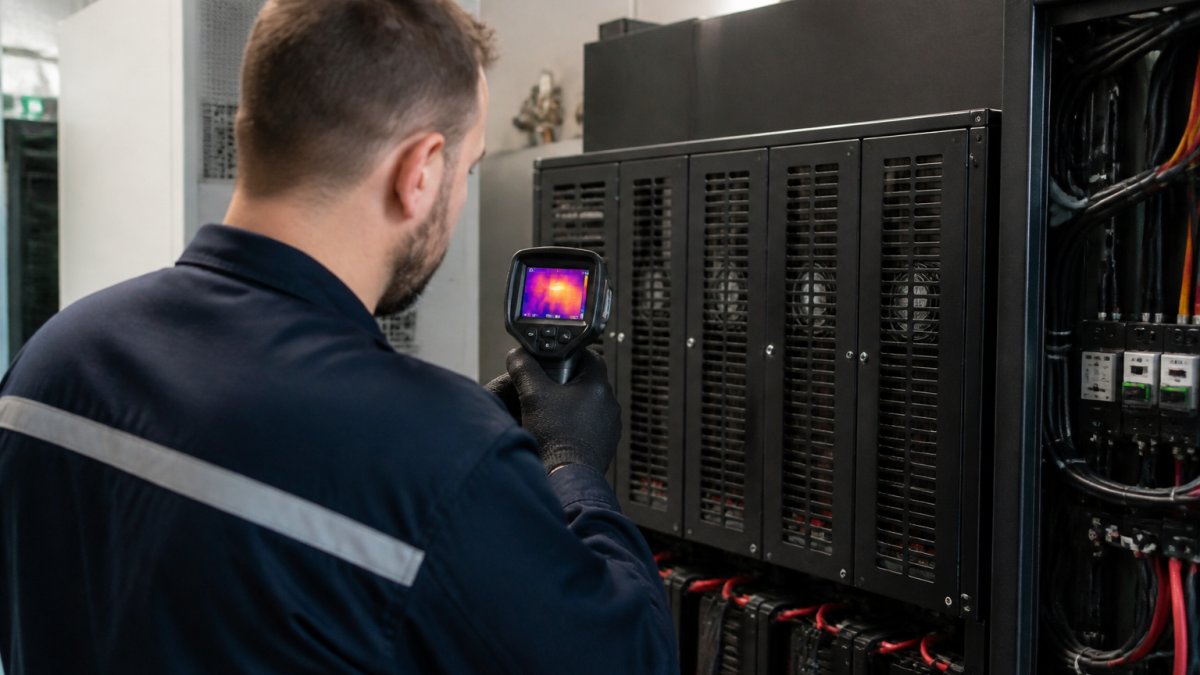
A 50% capacity increase doesn't just mean 50% more charging current, it means 50% more heat during operation. If your UPS already runs warm, upgrading pushes it closer to its thermal limits. Batteries degrade faster at elevated temperatures.
Lead-acid batteries are particularly sensitive to heat. Each 10°C rise above 25°C roughly halves battery lifespan.
Lithium batteries (LiFePO4) have built-in battery-management systems (BMS) that monitor temperature. If the BMS detects overheating, it throttles charging current or disconnects the battery entirely, leaving you without backup power.
Measure your UPS enclosure temperature under normal operation. If it's already above 30°C, a capacity upgrade is risky without additional cooling or ventilation improvements.
External Battery Pack for UPS: A Safer Alternative
If your UPS doesn't support internal battery upgrades safely, an external battery pack (EBM) might be your answer.
External battery packs connect to your UPS via dedicated connectors and bypass circuits. They extend runtime without forcing you to replace internal batteries or risk overloading the charging circuit. Most EBMs are designed and tested specifically for compatibility with particular UPS models.
The trade-off: EBMs cost more per watt-hour than internal batteries. A 10kVA UPS might support a 5kVA external pack, effectively doubling your backup capacity, but the EBM alone could cost 40-60% of the original UPS price.
EBMs also require proper installation. Treske Pty Limited offers UPS battery maintenance and replacement services that include assessment of whether an EBM or internal upgrade is appropriate for your specific configuration.
For most facilities needing significant capacity increases, an EBM is safer and more reliable than forcing an internal upgrade.
UPS Overload Protection and Damage Prevention
Your UPS has built-in protections that exist for a reason. Understanding them prevents costly mistakes.
Understanding Inverter Capacity and Load Limits
The inverter, the component that converts battery DC power to AC power for your equipment, has a maximum output capacity, measured in kVA or watts. This limit is independent of battery capacity.
You can install a 500Ah battery bank, but if your inverter is rated for 5kVA maximum output, it cannot supply more than 5kVA to your load. The oversized battery becomes wasted expense.
When evaluating a capacity upgrade, check both battery capacity AND inverter capacity. You'd need a larger UPS entirely.
The battery also has maximum discharge current limits. A battery rated 100Ah might specify a maximum continuous discharge of 200 amps. Higher-capacity batteries have higher discharge limits, but they're still finite.
| Component | What It Controls | Upgrade Impact |
|---|---|---|
| Battery Capacity (Ah) | Total energy stored, runtime duration | Increases backup time only |
| Inverter Rating (kVA) | Maximum power output to load | Limits what load can draw, independent of battery size |
| Charger Current (A) | Speed of battery recharge | Higher capacity = longer recharge time |
| Thermal Limits (°C) | Safe operating temperature range | Larger batteries generate more heat |
| Discharge Limits (A) | Maximum current battery can supply | Protects battery from damage during high load spikes |
An upgrade that increases battery capacity without addressing inverter limits, thermal capacity, or discharge current limits creates a false sense of security. Your runtime might increase on paper, but real-world protection and reliability actually decline.
When to Replace Rather Than Upgrade Your UPS
Sometimes the honest answer is: don't upgrade. Replace.
Upgrading makes sense when your UPS is relatively new, your load hasn't changed significantly, and you need 20-50% more runtime. In those cases, a compatible battery upgrade is straightforward and cost-effective.
Replacement is the right choice when:
- Your UPS is more than 5-7 years old. Battery chemistry and charging circuits degrade. A new unit with modern batteries and efficiency standards often costs less than upgrading an aging system.
- Your load has grown beyond your UPS's inverter capacity. No battery upgrade fixes this.
- Your facility's temperature environment has changed, new equipment generating more heat, or loss of cooling capacity. Thermal limits become the constraint, not battery size.
- The UPS manufacturer no longer supports compatible batteries or parts for your model. You're locked into proprietary replacements at premium prices.
- You need more than a 50% runtime increase. At that point, a larger UPS or an external battery pack is more reliable than pushing internal components beyond design limits.
A replacement UPS costs more upfront, but you get modern efficiency, updated protection circuits, better thermal management, and a full warranty. For critical infrastructure, that peace of mind often justifies the expense.
Professional assessment makes this decision easier. Our team at Treske Pty Limited evaluates your current UPS, load profile, and facility constraints to recommend upgrade versus replacement. UPS commissioning services ensure whatever you choose is installed correctly and tested thoroughly.

Upgrading UPS capacity safely requires understanding your system's specific limits, voltage requirements, charging circuit capacity, thermal constraints, and inverter ratings. Our rack and stack services and battery maintenance expertise ensure your UPS system remains reliable through whatever capacity changes you choose.

Frequently Asked Questions
Can you safely upgrade the battery capacity of a UPS?
Upgrading UPS capacity is possible but carries significant risks. The UPS charging circuit, inverter, and thermal design are engineered for the original battery specification. A higher-capacity battery may exceed the charger's recharge current, generate excess heat, or exceed the inverter's volt-ampere rating. Before any upgrade, verify the manufacturer's specifications and have a licensed electrician assess compatibility. Professional assessment and testing are essential to avoid damage or fire risk.
What should I check before installing a higher-capacity UPS battery?
Verify the battery voltage matches your UPS (typically 12-volt, 24-volt, or 48-volt systems). Check the amp-hour (Ah) rating and confirm the charging circuit can handle the recharge current without overheating. Review the UPS manufacturer's maximum supported battery capacity and the inverter's watt rating. Confirm the physical space and weight capacity of your rack or enclosure. Have a qualified technician conduct a site assessment and functional testing after installation to ensure safe operation.
What happens to UPS runtime when you increase battery capacity?
Runtime extends proportionally to the increase in watt-hour capacity, assuming the load remains constant. For example, a 1500VA UPS with a 7Ah battery may provide 15 minutes of runtime at full load; upgrading to 9Ah could extend this to approximately 19 minutes. However, the actual runtime depends on the load draw in watts and the battery's usable capacity. Use the formula: Runtime (hours) = (Battery Wh / Load W) × 0.8 (accounting for efficiency losses). Always calculate expected runtime before installation.
Is an external battery pack for UPS a safer option than internal upgrades?
Yes. External battery modules (EBMs) and external battery packs are specifically designed to extend UPS runtime without modifying internal components. They connect via dedicated terminals and are engineered to work within the UPS charging and inverter specifications. External solutions eliminate the risk of overloading the internal charger or exceeding thermal limits. They also simplify installation and maintenance. For data centres or critical facilities, external battery packs offer a safer, more scalable approach than upgrading internal batteries.
What should I do if my UPS is overloaded?
Immediately reduce the load by disconnecting non-critical devices. Check the UPS display for overload or fault alarms. Verify the total load in watts does not exceed the UPS rated capacity (typically marked on the unit or in the manual). If the load is legitimate and necessary, you need a higher-capacity UPS unit, not a battery upgrade. Prolonged overload damages the inverter and shortens battery life. Consult a qualified technician to assess your power requirements and recommend an appropriately sized replacement UPS or external battery solution.