

Quick Summary
A video extender carries a display signal, usually HDMI, DisplayPort or VGA, from a source to a screen too far away for a standard cable. Choose one when source and display are more than a few metres apart, and pick the type by distance, resolution and existing cabling. HDBaseT suits structured Cat6 installs, while fibre suits very long runs.
- Use an extender for one screen far away; use a splitter to copy one source to several screens.
- HDBaseT carries HDMI, control and power over a single Cat5e, Cat6 or Cat6a cable.
- The Aten VanCryst optical extender covers up to 600 m over single-mode fibre.
- Stated distance depends on resolution and cable grade, so check the 4K figure for 4K installs.
- Plan a spare unit or bypass cable, since downtime in 24/7 rooms is costly.
Table of Contents
- What a Video Extender Does and When You Need One
- Video Extender vs Splitter: Choosing the Right Device
- Extender Types: HDBaseT, Fibre, VGA and Optical Compared
- HDMI Extender Distance: Resolution, Cable and Signal Limits
- How to Choose: A Decision Matrix for Professional Displays
- HDMI Extender Buying Guide: Reliability, Control and Total Cost
- Avoiding Video Extender Installation Mistakes
- Frequently Asked Questions
What a Video Extender Does and When You Need One
A video extender carries a display signal, usually HDMI, DisplayPort or VGA, from a source to a screen too far away for a standard cable. In professional settings it is typically a transmitter at the source and a receiver at the display, linked by a single network or structured cable.
You usually need one when source and display are separated by more than a few metres, when runs pass through ceilings or conduits, or when the display sits in another room. Long passive HDMI cable over those distances often produces flicker, sparkle or dropped handshakes; a purpose-built extender avoids that with a signal format designed for distance.
The decision is rarely just about distance. Resolution, refresh rate, audio, control signals and the existing cabling all shape which extender will work.
Video Extender vs Splitter: Choosing the Right Device
A splitter copies one source to several displays. An extender moves one signal over a longer path to a single display. Buying the wrong one wastes money and time.
Use a splitter when several screens need the same image at the same location, such as a wall of monitors fed from one PC. Use an extender when one screen needs the signal from far away. Some installations need both, with a distribution unit feeding extenders across several rooms.
A common mistake is assuming a splitter will extend distance. Most splitters add no reach, and the signal still degrades over long cable runs. Check the stated maximum distance for the actual device, not just its port count.
Extender Types: HDBaseT, Fibre, VGA and Optical Compared
The right type depends on distance, resolution and the cable already in the wall.
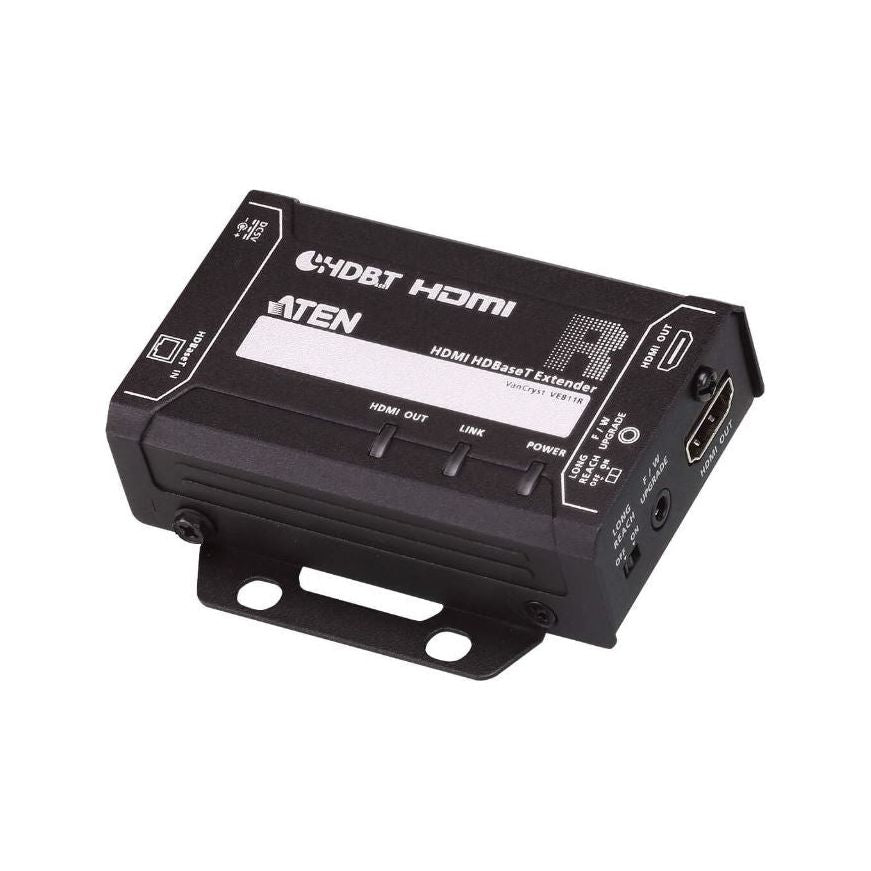
HDBaseT carries HDMI, control and power over a single Cat5e, Cat6 or Cat6a cable. The Aten VE811 HDMI HDBaseT Extender, priced at $502.80, handles 4K at up to 100 m over Cat 5e/6/6a and supports a long reach mode to 150 m. It is the most common choice for commercial rooms because it reuses structured cabling.
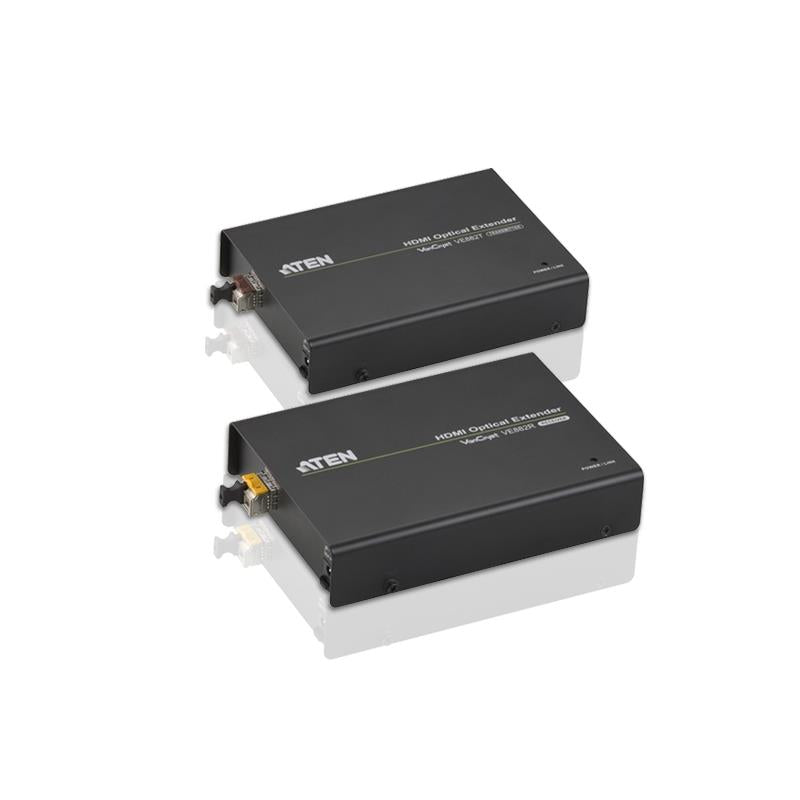
Optical fibre suits very long runs or electrically noisy environments. The Aten VanCryst Universal A/V to HDMI Optical Extender, priced at $2,010.00, covers up to 600 m over single-mode fibre and also carries IR and RS-232 control.
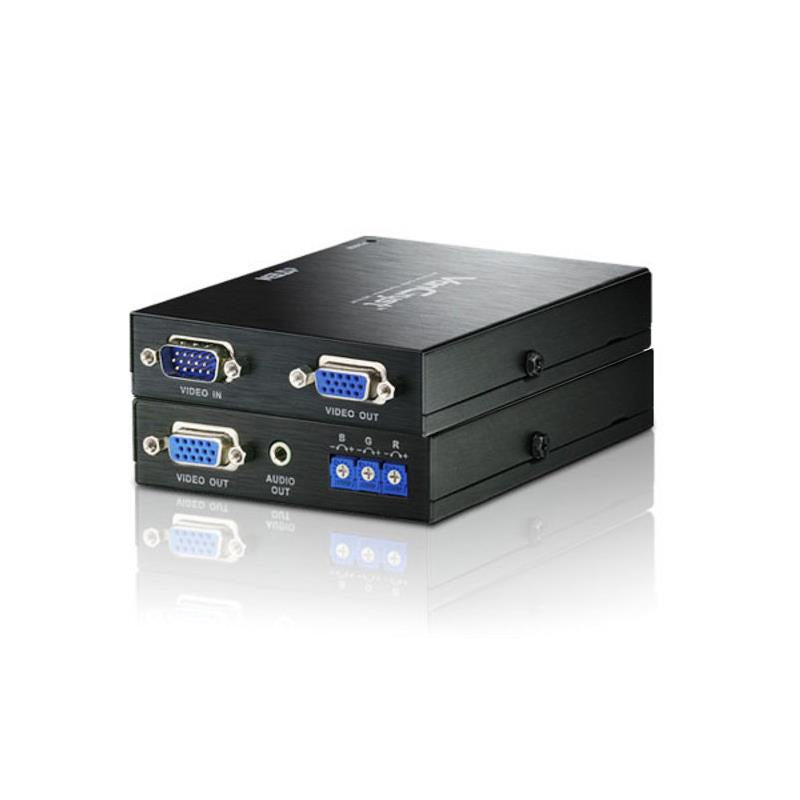
VGA over Cat5 still appears in older installations. The Aten VE170Q, at $506.40, extends VGA to 300 m at 1280 x 1024 and includes deskew correction for signal timing over distance.
DVI over Cat5 works for legacy displays. The Aten VE600A, at $231.60, reaches 60 m.
Each type trades cost against flexibility. HDBaseT is usually simplest where Cat6 is already installed. Fibre costs more but removes copper distance limits.
Aten VanCryst and VE-series extender prices
HDMI Extender Distance: Resolution, Cable and Signal Limits
Stated distances depend on resolution and cable grade. Higher resolutions and frame rates demand more bandwidth, which shortens the reliable run. The same extender may reach 100 m at 1080p but only 70 m at 4K on lower-grade cable.
The Aten VE816R HDMI HDBaseT Receiver, priced at $1,544.40, illustrates this. Its datasheet lists 4K up to 70 m over Cat 5e/6 and 100 m over Cat 6a, with 1080p reaching 100 m on Cat 5e/6/6a. Cable choice therefore matters as much as the device.
Check three things before committing to a distance. First, confirm the cable category from the source, not from the label on the box. Second, verify the resolution and chroma format you need, since 4K at 4:4:4 reaches less far than 4:2:0. Third, plan for connectors and patch panels, which add loss.
How to Choose: A Decision Matrix for Professional Displays
Most buying guides list extender types and leave the reader to work out which fits. A professional installation needs the opposite: a fixed sequence of requirements that narrows the field before any product is compared.
Step 1, Fix the display requirement, not the product. Start with the highest resolution and refresh rate any display must show, and the chroma format the source will output.
Step 2, Measure the real path, not the room. Distance is the cable length from source output to display input, including patch leads, wall plates, patch panels and service loops. A 70 m room can easily contain 85 m of copper.
Step 3, Decide the signal type and infrastructure. If structured Cat6 or Cat6a already exists and the run is within HDBaseT limits, HDBaseT is usually the simplest and least disruptive choice because it carries video, control and often power over one cable.
Step 4, List the non-video signals. Audio return, bi-directional IR, RS-232, USB for touchscreens or KVM, and relay contacts for screen control all affect the model choice.
Step 5, Check latency and switching behaviour. For signage and general presentation, latency of a few frames is invisible. For control rooms, live camera feeds, or any installation where an operator interacts with a cursor on screen, confirm the extender's latency figure and whether it is fixed or variable.
Step 6, Only now compare products and prices. With the requirement, distance, signal type, signal list and latency budget fixed, the shortlist is usually two or three models. Compare them on rated performance at the Step 1 requirement, warranty, rack-mounting, and the availability of spare units, not on headline price alone.
A simple matrix helps document the decision for the client and for future maintenance:
| Requirement | What to record | Why it matters |
|---|---|---|
| Resolution, refresh, chroma | e.g. 4K60, 4:4:4 | Sets the bandwidth floor |
| HDR and HDCP version | e.g. HDR10, HDCP 2.2 | Determines compatibility with sources and displays |
| Real cable path | Measured length plus 10% | Rules out models that only reach the distance at lower resolution |
| Signal type | HDBaseT, fibre, legacy copper | Constrains infrastructure and cost |
| Non-video signals | IR, RS-232, USB, audio | Often decides the model |
| Latency budget | Fixed or variable, target figure | Critical for control rooms and interactive use |
| Redundancy need | Single path or spare path | Drives topology and cost |
Watch out: the most common specification error is quoting an extender's maximum distance at 1080p when the installation will run 4K.
HDMI Extender Buying Guide: Reliability, Control and Total Cost
In a permanent professional installation the purchase price is the smallest part of the decision. What separates a good extender from a bad one is how it behaves over years of continuous operation, how quickly a fault can be found and fixed, and what the whole system costs to own.
Reliability and redundancy in 24/7 installations. Consumer extenders are designed for occasional use; professional units are designed to stay on. Look for locking connectors, metal housings, surge and ESD protection, and a stated operating temperature range that covers the inside of a closed comms cabinet, not just a desk. The Aten VE816R, for example, is rated from 0 to 40°C.
Redundancy is the part most guides skip. For control rooms, signage networks and any display that carries safety or revenue-critical information, plan the signal path so a single failure does not blank the screen. Practical options include:
- A spare transmitter and receiver kept on site, pre-configured and labelled, so a failed unit can be swapped in minutes rather than ordered.
- Dual-path routing where the budget allows, with the display able to accept a second source or a second extender feed.
- A documented bypass procedure, for example, a short direct cable kept coiled in the rack that can reconnect source and display while a faulty extender is replaced.
- Rack-mounted receivers with front-accessible ports, so maintenance does not require pulling the rack apart.
Control and monitoring. Bi-directional IR and RS-232 let a single control system manage the display from the source end, removing a second remote and a second cable run. More important in a multi-room installation is link-status visibility: many professional receivers expose LED indicators or network status showing whether the link is up, whether HDCP is negotiated, and whether the source is present.
Watch out: a receiver that loses its link during a source reboot may not recover until it is power-cycled. Test the recovery behaviour on the bench, unplug the source, unplug the display, and power-cycle the receiver, before the system is handed over, and record the recovery time.
Total cost of ownership and lifecycle planning. Compare whole-of-life cost, not unit price. The main components are:
| Cost line | What to include | Typical planning note |
|---|---|---|
| Equipment | Transmitters, receivers, power supplies, mounting kits | Price spare units at the same time as the main order |
| Cabling | Cable, connectors, wall plates, patch panels, containment | Cable grade drives both distance and future upgrade headroom |
| Installation labour | Termination, testing, commissioning, documentation | Site acceptance testing is cheaper than a return visit |
| Power | Consumption and any PoE or power-supply replacement cycle | Small per unit, material across a large estate |
| Maintenance | Spares holding, preventative checks, firmware updates | Budget a small annual allowance per room |
| Upgrade path | Headroom for higher resolution or refresh rate | Over-specifying cable once is cheaper than re-pulling it |
A useful rule of thumb is that cable and installation labour often exceed the extender hardware cost in a new build, so choosing a slightly more capable cable category at first fix is usually the cheapest decision in the project. Conversely, a cheaper extender that only just meets the current requirement usually costs more over the life of the room, because the first resolution upgrade forces a replacement.
Avoiding Video Extender Installation Mistakes
Most extender failures come from avoidable setup errors. A technician in a tidy equipment room, routing Cat6 into a rack-mounted receiver, prevents many of them before the display is ever switched on.
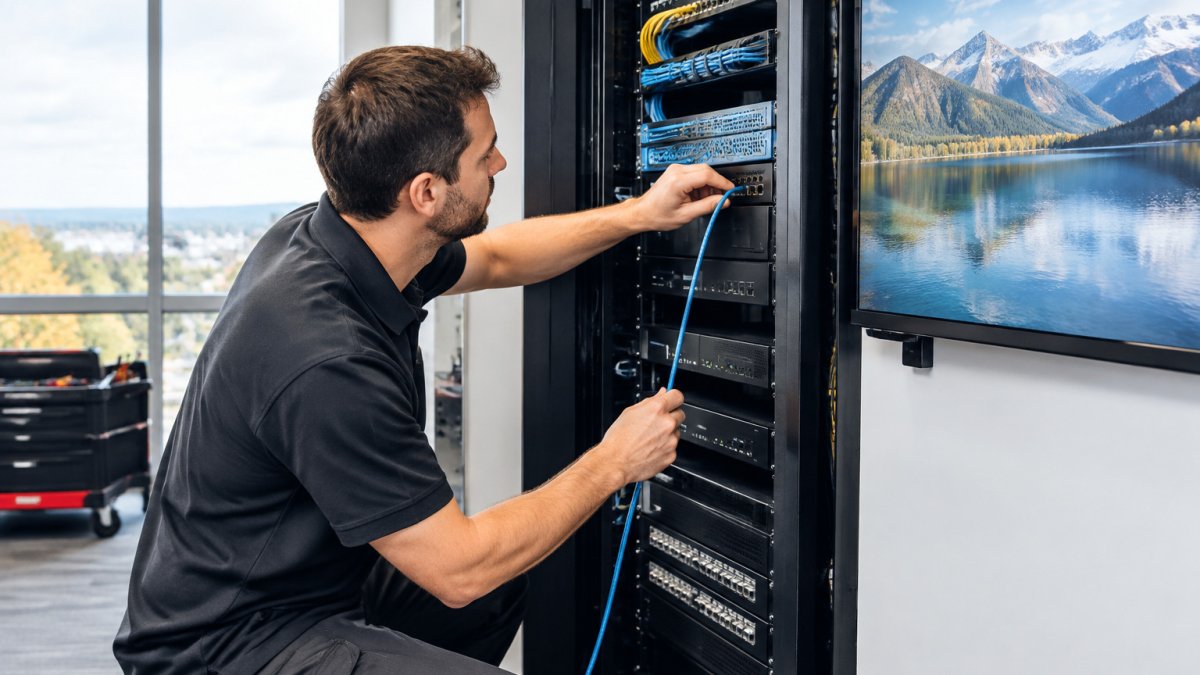
The most common mistake is using a cable that falls short of the rated category. Another is ignoring the distance penalty from patch leads and wall plates. Mounting transmitters and receivers in hot, enclosed spaces also causes intermittent faults, so check the operating temperature range, which for the VE816R is 0 to 40°C.
Other frequent problems include mismatched EDID, where the display and source negotiate the wrong resolution, and powering the transmitter from an underrated supply. Test each run end to end with the real source and display, and document the cable type and distance for future maintenance.
Treske Pty Limited offers preventative maintenance. If you are planning a display upgrade, speak to the team about the full signal path.
Frequently Asked Questions
What is a video extender and how does it work?
A video extender carries an HDMI, DisplayPort or VGA signal over a longer distance than the source cable allows. A transmitter at the source converts the signal and sends it over a single twisted-pair network cable, such as Cat6, or over fibre. A receiver at the display converts it back. Many units also carry audio, USB or infrared control on the same cable, which keeps installations tidy in meeting rooms and digital signage.
How far can an HDMI extender transmit a video signal?
Distance depends on the technology and resolution. The Aten VE811 HDBaseT extender reaches 100 m at 4K over Cat5e, Cat6 or Cat6a, and up to 150 m in long reach mode at 1080p. The VE812 Cat5 extender covers 100 m at 1080p60. Optical models such as the VE882 reach 600 m over single-mode fibre. Always check the stated limit for your resolution, not just the headline distance.
Should I use an HDBaseT or IP-based video extender?
HDBaseT suits point-to-point runs where you need reliable, low-latency video over existing Cat cabling, and it is the usual choice for meeting rooms and signage. IP-based systems suit multi-room or multi-display networks that need routing and central management, but they need a well-planned network and bandwidth. For a single display run, HDBaseT is usually simpler to deploy and support.
What are common video extender installation mistakes?
The most frequent errors are exceeding the stated distance for the chosen resolution, using unshielded or poor-quality cable, and running data cable alongside power cable without separation. Teams also overlook EDID handling, which can cause black screens or wrong resolutions, and skip testing under the final display load. Confirm cable category, terminations and signal stability during commissioning before the system goes live.
