

Last Updated: November 19, 2026
Quick Summary
Battery cabinet sizing for longer runtime starts with three numbers: your critical load in watts, your runtime objective, and your battery string voltage. You then read the manufacturer's runtime curve at the design load, convert the shortfall in minutes to extra battery blocks, build strings to the DC bus voltage, and divide strings by strings per cabinet. Size to peak load, not average, and confirm the cabinet's DC bus voltage matches the UPS exactly.
- Size batteries on watts and the UPS on VA; mixing the two leaves you short on backup time.
- Runtime falls faster than load rises, so a 20% load increase can cost 30% of backup time.
- A 180 VDC bus built from 12 V blocks needs 15 blocks per string.
- Adding batteries extends runtime only; the UPS power rating stays fixed.
- A cabinet that passes the voltage check but fails detection wiring is the most common near-miss.
Table of Contents
- Why Runtime Goals Fail Without Proper Battery Cabinet Sizing
- UPS Runtime Calculation: From Critical Load to Backup Time
- Setting a UPS Battery Autonomy Target That Fits Your Site
- Choosing an External Battery Cabinet for UPS Runtime Expansion
- UPS Battery Cabinet Compatibility: Checks Before You Buy
- Cabinet Footprint, Weight, Ventilation and Installation Clearances
- Commissioning and Testing an Expanded Battery System
- Planning Your Battery Cabinet Upgrade With Treske
- Frequently Asked Questions
Why Runtime Goals Fail Without Proper Battery Cabinet Sizing
Most extended-runtime projects fail before a single cabinet is ordered. The runtime target is set, the UPS is sized, and then the battery side is treated as an afterthought.
According to ZincFive's 2026 Data Center Energy Storage Industry Insights Report, 33% of respondents using centralised UPS in 2026 reported battery backup runtime above 10 minutes, down from 36% the year before. Runtime is not improving on its own.
Proper UPS battery cabinet sizing for longer runtime starts with three numbers: your critical load, your runtime objective, and your battery string voltage. Get those wrong and no amount of cabinet hardware fixes it.
Below, we walk through the full sizing workflow, from load measurement to commissioning.
UPS Runtime Calculation: From Critical Load to Backup Time
UPS runtime calculation matches battery capacity to a known load for a known duration. It is a chain: load in watts, battery capacity in amp-hours, DC bus voltage, inverter efficiency and the manufacturer's discharge curve.
The basic relationship is:
Runtime (hours) = (Battery Ah × DC bus voltage × inverter efficiency) ÷ Load in watts
That formula gives a rough figure. Real runtime comes from the manufacturer's runtime curve, which accounts for discharge rate, end-of-discharge voltage and the fact that a battery rated at 9 Ah over 20 hours delivers far less over 10 minutes.
Measuring Load in Watts and Volt-Amperes
Load is measured two ways, and both matter.
- Watts (W) is real power, the energy actually doing work
- Volt-amperes (VA) is apparent power, the total drawn by the equipment
- Power factor is the ratio between them, typically 0.9 to 1.0 for modern IT gear
Size batteries on watts, the UPS on VA. Mixing the two leaves you short on backup time.
Measure at the UPS output, not the wall, using the UPS display or a clamp meter on the output feed. Take the reading at peak load, not average: record morning start-up, mid-afternoon peak and after-hours baseline, then size to the highest.
Working Through a Runtime Calculation at Multiple Loads
Take a 6 kVA UPS with a 180 VDC battery bus and a 5.4 kW critical load. Assume a 9 Ah battery block string.
Load |
Approx. Runtime (internal battery) |
With One External Cabinet |
With Two Cabinets |
|---|---|---|---|
2.7 kW (50%) |
~14 min |
~42 min |
~70 min |
4.0 kW (75%) |
~9 min |
~28 min |
~48 min |
5.4 kW (100%) |
~6 min |
~19 min |
~33 min |
Approx. Runtime (internal battery)
Those figures are illustrative, not manufacturer data. Always pull the actual runtime curve for your UPS model and battery configuration. Runtime falls faster than load rises, so a 20% load increase can cost 30% of your backup time.
A Worked End-to-End Sizing Method
- Fix the target runtime and the design load. Choose the runtime objective (for example, 30 minutes) and the load you will size to (the peak measured watts, not the average).
- Read the runtime curve at that load. Take the manufacturer's curve for the UPS model and note the internal-battery runtime at your design load. If internal batteries already meet the target, stop; no cabinet is needed.
- Calculate the shortfall in minutes. Subtract the internal runtime from the target. That shortfall is what the external cabinet must supply.
- Convert the shortfall to additional battery capacity. Use the curve's minutes-per-kW relationship at your load to estimate the extra amp-hours required, then divide by the amp-hour rating of one battery block to get the number of blocks.
- Build the string to the DC bus voltage. Divide the DC bus voltage by the block voltage to get the blocks per string. A 180 VDC bus built from 12 V blocks needs 15 blocks per string. The block count from step 4 must be a whole multiple of the string length, or you add a second string.
- Convert strings to cabinets. Check how many strings the chosen cabinet holds. One cabinet may take one or two strings; the cabinet count is the string count divided by strings per cabinet, rounded up.
- Re-check against the curve. Take the final block count back to the runtime curve and confirm the delivered runtime meets the target with margin for battery aging.
Watch out: step 5 is where most plans fail. A block count that does not divide evenly into the DC bus voltage forces an undersized string or an extra cabinet, usually after the cabinet order is placed.
Why the Curve Beats the Formula
The amp-hour formula assumes a constant discharge rate and 100% depth of discharge. Real UPS batteries are sized to a defined end-of-discharge voltage and rarely discharge to zero, and at high loads the Peukert effect reduces usable capacity. Use the formula to sanity-check the order of magnitude, then size from the curve.
Setting a UPS Battery Autonomy Target That Fits Your Site
UPS battery autonomy should match the time your site needs to either ride through an outage or shut down cleanly.
Ask three questions:
- How long does the generator take to start and stabilise?
- How long does a controlled shutdown of critical systems take?
- What is the longest outage your site has actually experienced?
For a hospital theatre suite, autonomy might need to cover generator changeover plus a margin.
Battery sizing should also reflect the operating profile, not just the target minutes.
Watch out: sizing to the average load rather than the peak load is the single most common cause of runtime shortfall on day one.
Choosing an External Battery Cabinet for UPS Runtime Expansion
An external battery cabinet extends runtime without replacing or resizing the UPS.
The XPC UPS Battery Architecture Guide makes the split clear: internal batteries suit shorter runtimes, while external cabinets scale runtime without touching the UPS.
For a 2.2 kVA or 3 kVA Edge UPS, a 72 VDC extended cabinet is the typical starting point, and you can view the 72 VDC extended battery cabinet for Edge 2200VA and 3000VA and GXT5 3000VA to check the rail kit and voltage match.
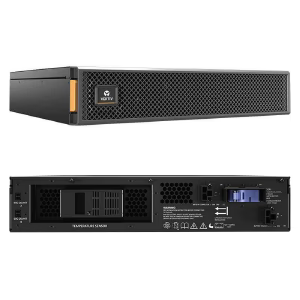
Adding batteries does not add UPS power capacity. As DataCenterScope's 2026 UPS cost analysis points out, battery expansion extends runtime only; the UPS power rating stays fixed.
Battery Chemistry and Total Cost of Ownership
VRLA and lithium-ion behave very differently over a long runtime window.
Factor |
VRLA |
Lithium-ion |
|---|---|---|
Upfront cost |
Lower |
Higher |
Design life |
3-5 years typical |
Longer cycle life |
Weight per kWh |
Heavy |
Lighter |
Footprint |
Larger |
Smaller |
Maintenance |
Regular testing needed |
Lower touch |
For teams weighing lithium for a 1U Eaton 9PX, the 48 VDC lithium-ion extended battery cabinet for Eaton 9PX 1U shows the form factor and price point. It lists at $1,350.88.
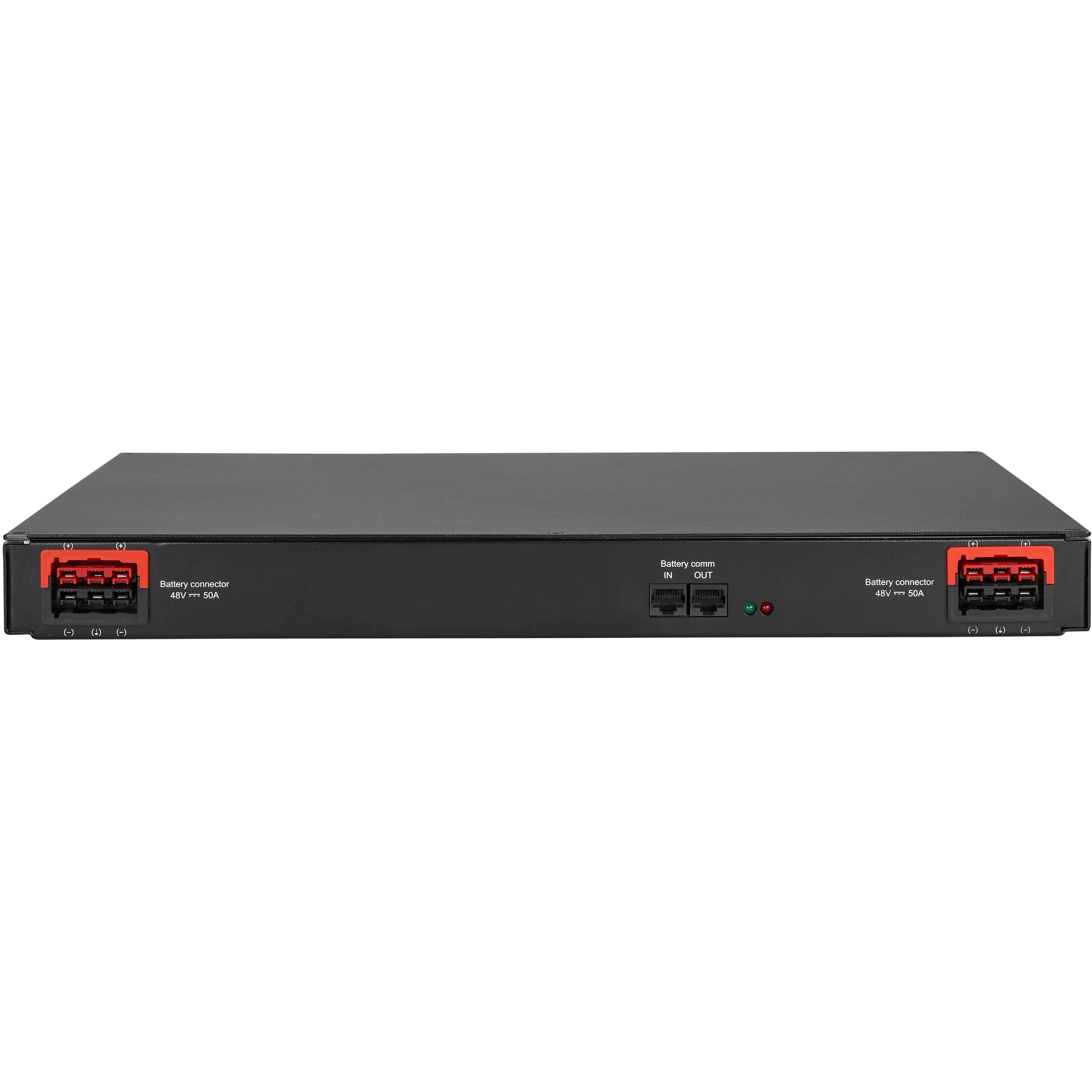
For most sites, VRLA wins on upfront cost. Lithium wins when floor space is tight or replacement cycles are frequent.
UPS Battery Cabinet Compatibility: Checks Before You Buy
UPS battery cabinet compatibility comes down to four checks, each with a mechanism behind it. Get any one wrong and the cabinet will not work, or will not be safe.
DC Bus Voltage Must Match Exactly
The cabinet's nominal DC bus voltage must equal the UPS battery bus voltage. This is arithmetic, not tolerance. A 192 VDC cabinet will not run a 240 VDC UPS, and forcing it risks over-voltage on the battery string and under-voltage on the UPS input.
Work out the bus voltage from the battery blocks, not the model name. A 180 VDC bus built from 12 V blocks is 15 blocks in series; a 240 VDC bus is 20.
Maximum Charge Current and Recharge Window
The UPS charger must be able to recharge the added capacity within its design window. Adding a cabinet increases the amp-hours the charger has to replace after an outage. If the charger current is fixed and the capacity doubles, recharge time roughly doubles too.
Check the UPS datasheet for maximum charge current and the recommended recharge time to 90% capacity.
Connector Type and Detection Wiring
Battery connectors and detection ports must match the UPS rear panel. Many UPS models use a detection or communication lead so the UPS knows a cabinet is present and can adjust its runtime estimate and alarms. A cabinet with the right voltage but the wrong detection wiring will either not be recognised or will report a battery fault.
Confirm the connector part number and detection lead pinout against the UPS installation manual, not against a similar model in the same series.
Supported Battery Strings and Firmware Cap
The number of cabinets the UPS can manage is capped by firmware and charger design. Even where the electrical checks pass, the UPS may only support one or two external cabinets.
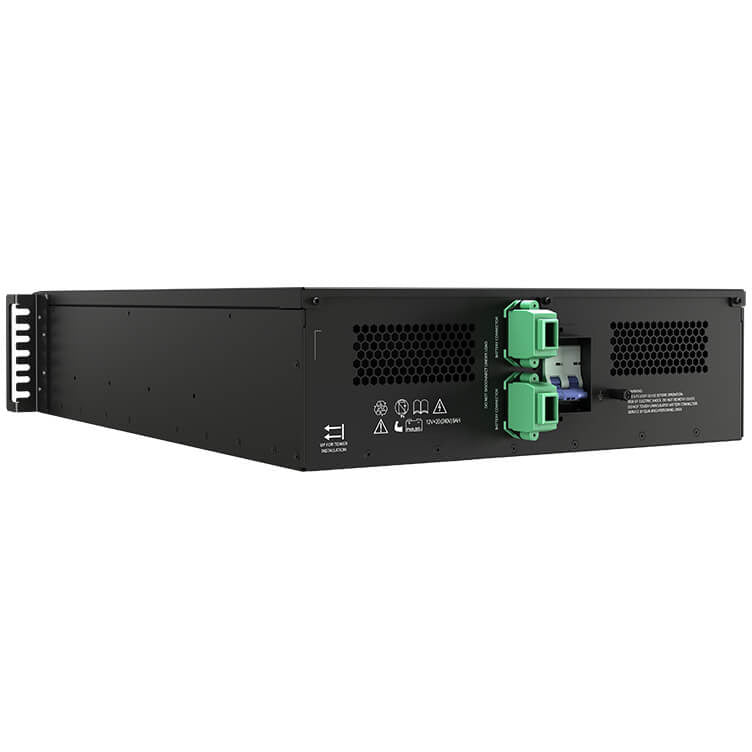
Check the model number, not just the series. The 192 VDC extended battery cabinet for Vertiv GXT5 5kVA and 10kVA and the 240 VDC extended battery cabinet for Vertiv GXE3 10kVA show why the voltage suffix matters more than the brand.
Compatibility Checklist Before Ordering
- DC bus voltage: cabinet nominal voltage equals UPS battery bus voltage, and block count divides evenly
- Charge current: UPS maximum charge current can recharge the expanded string within the site's recharge window
- Connector and detection: power connector and detection lead match the UPS rear panel and installation manual
Watch out: a cabinet that passes the voltage check but fails the detection-wiring check is the most common near-miss. It powers on, so it looks compatible, but the UPS never registers the extra capacity and the runtime estimate stays wrong.
Cabinet Footprint, Weight, Ventilation and Installation Clearances

Floor loading is the check most projects skip.
- Weight: check the cabinet's stated weight, then add battery mass and rail kit
- Footprint: confirm depth against your rack aisle and door swing
- Ventilation: VRLA cabinets release gas under charge; do not box them in
For a 1U Eaton 9PX lithium cabinet at $1,350.88, weight is modest. For the 240 VDC extended battery cabinet at 62 kg and $3,636.68, plan the lift and the floor route before delivery.
Commissioning and Testing an Expanded Battery System
Commissioning is where an expanded battery system proves itself. Do not accept a cabinet that powers on as "done".
- Verify the UPS recognises the new cabinet count
- Run a controlled discharge test to the target runtime
- Record actual runtime against the calculated figure
After commissioning, ongoing monitoring matters more than the initial test. Our guide on 7 ways to monitor redundant power systems covers what to watch once the cabinet is live.
Site acceptance testing is available from Treske Pty Limited to help confirm that expanded battery systems perform as expected on site.
Planning Your Battery Cabinet Upgrade With Treske
The gap between a runtime target and a working battery cabinet is usually planning, not hardware.
Treske Pty Limited designs, supplies and supports critical infrastructure as an independent provider, not tied to a single product line.
We partner with Eaton, Vertiv, APC by Schneider Electric and others, so the cabinet recommendation follows your UPS, not the other way around.
Get started with Treske Pty Limited and size a battery cabinet that delivers the runtime your site actually needs.
Frequently Asked Questions
Does adding a battery cabinet increase UPS runtime or capacity?
It increases runtime only. The UPS power rating stays fixed, so a larger cabinet will not let you carry a bigger load. DataCenterScope makes the same point: battery expansion extends backup time but does not raise the UPS's kVA capacity. If your load has grown, you need a larger UPS, not more batteries. Size the cabinet against your current critical load and the runtime you need, and confirm the UPS charger can support the extra battery strings before ordering.
How many external battery cabinets can you connect to a UPS?
It depends on the model. The Eaton 9PX extended battery cabinet supports up to six additional external cabinets, while the Eaton 9E Rack extended battery module supports up to four. The real limit is usually the charger, not the count: maximum charge current and DC bus voltage must match the cabinet's specification. Check the manufacturer's runtime curve for your exact UPS and cabinet combination, because published runtime figures assume a specific number of modules at a stated load.
How do you calculate UPS battery runtime from load and battery capacity?
Start with the critical load in watts, convert to the battery's DC power draw, then divide available amp-hours by that current. In practice, use the manufacturer's runtime curve at your load percentage rather than a hand calculation, because discharge rate, aging and temperature all reduce real runtime. C&D Technologies notes that sizing should account for the expected operating profile, not just the target runtime. Add a capacity margin for battery degradation and a separate margin for load growth.
Can you add a battery cabinet to an existing UPS?
Often yes, if the UPS has an external battery connector and the charger can support the extra strings. Check DC bus voltage, connector type and supported battery strings first. Hot-swappable cabinets, such as the Eaton 9PX extended battery pack, let you add capacity without shutting down the load, which matters for 24/7 sites. Book commissioning and site acceptance testing afterwards so the expanded system is proven under load, not just powered on.
